Built a feedback platform — free Team plan ($588/yr) for anyone who tests it

Hey everyone :wave:

I’ve been lurking and contributing in this community for years, so I wanted to share something I’ve been building at work and get your honest take.

We built Pollenate — a feedback collection platform — at BlueHive Health because we couldn’t find a tool that fit what we needed: something lightweight to embed, API-first, and with automations that actually connect feedback to action (GitHub issues, email follow-ups, Zapier workflows, etc.).

Why I’m posting here

The widget is a single <script> tag — it works in Blaze templates, React components, or any Meteor app with zero config:

<script 
  src="https://pollenate.dev/widget.js"
  data-inbox-key="YOUR_INBOX_KEY"
  data-api-key="YOUR_API_KEY"
  data-type="stars"
  async
></script>

Drop that in your <body> or a Blaze template and you’re collecting feedback. It also works inline — mount it into any container with data-container="#my-div" and data-inline="true", so it fits naturally inside your app’s UI instead of floating over it.

If you’re using React in your Meteor app, there’s a dedicated React package:

npm install @pollenate/react
import { PollenateWidget } from '@pollenate/react';

<PollenateWidget
  inboxKey="YOUR_INBOX_KEY"
  apiKey="YOUR_API_KEY"
  type="stars"
  inline
/>

You can also skip the widget entirely and hit the API directly from a Meteor Method:

Meteor.methods({
  async submitFeedback(type, score, comment) {
    const res = await fetch('https://api.pollenate.dev/collect', {
      method: 'POST',
      headers: {
        'Content-Type': 'application/json',
        'X-Pollenate-Key': Meteor.settings.pollenateApiKey,
      },
      body: JSON.stringify({
        inboxKey: 'my-app',
        type,     // 'thumbs', 'stars', 'nps', 'csat', 'emoji', 'text'
        score,
        comment,
      }),
    });
    return res.json();
  },
});

What it does

  • Widget types: Thumbs, star ratings, NPS, CSAT, emoji, and free text
  • Feedback Pages: Drag-and-drop multi-question survey builder (or let the AI assistant generate one for you). Share via link, QR code, email signature, iframe, or print
  • Real-time dashboard with trend analysis, per-question breakdowns, and conversion tracking
  • Semantic search — search feedback with natural language using AI embeddings
  • Automations — email alerts, webhooks, and Zapier to route feedback into your workflow
  • Fully themeable — match your brand with CSS custom properties or JSON theme tokens, supports dark mode
  • OpenAPI spec + AI Skill File — AI agents can submit feedback during conversations
  • HIPAA-ready architecture (we’re a healthcare company, so this was a requirement for us)

Full docs: pollenate.dev/docs

The offer

The Starter plan is free forever — 1 inbox, 5,000 events/month, no credit card.

But if you actually try it and leave feedback here telling me what worked, what didn’t, and what’s missing — I’ll give you our Team plan free for a full year ($588 value). That gets you 5 inboxes, 100K events/month, advanced analytics, webhooks, team collaboration, and custom themes.

No catch. I genuinely want feedback from developers who build real apps. This community has always been good at that.

Get started

:point_right: pollenate.dev

Happy to answer any questions in this thread. If you run into issues or have feature requests, that counts as valuable feedback too — drop it in the feedback form or reply here.
7 Likes

This looks great! A few thoughts/suggestions:

The following questions appear to me (as a professional Director of Market Research) to be duplicative:

  • How’s your experience
  • Rate your experience
  • Was this helpful
  • How satisfied are you

Looking at the gif/mov demo on your home page my first thought was that you were asking all the questions shown. Trying it on your site, I see only one of the questions is asked. So clearly you provide multiple options and let the user decide which ones to ask. It may be helpful to state that in some relevant place on the home page. (Or state it more discoverably if it is there and I missed it).

Suggestion: it may be of interest to include an option to ask the Sean Ellis product-market-fit question:

Ellis had found a leading indicator: just ask users “how would you feel if you could no longer use the product?” and measure the percent who answer “very disappointed.”

Other thoughts:

  • Let the user set the color scheme
  • Possibly - let the user provide a callback to receive the submitted data, so that the user can integrate it into the app’s own db
1 Like

Thanks for giving Pollenate a try, @vikr00001 — really appreciate the thoughtful feedback from a Market Research perspective!

Let me address each point:

The following questions appear to me (as a professional Director of Market Research) to be duplicative:

  • How’s your experience
  • Rate your experience
  • Was this helpful
  • How satisfied are you

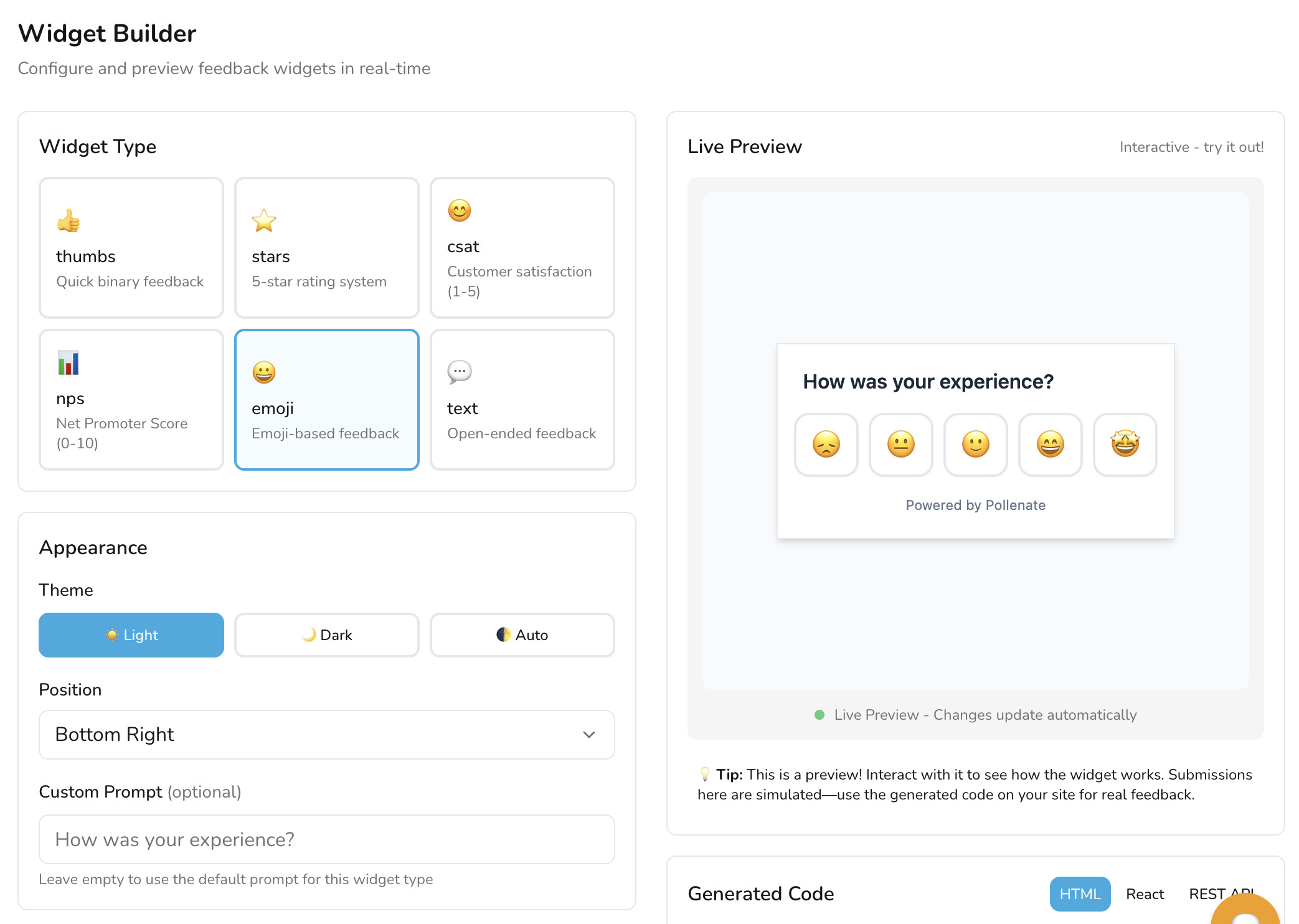
On the duplicative questions: Those are actually different widget types that you choose between, not questions that are all asked together. Each one maps to a different feedback methodology:

Widget Type Default Prompt What It Measures
Emoji “How was your experience?” General sentiment (1-5)
Stars “Rate your experience” Quality rating (1-5)
Thumbs “Was this helpful?” Binary yes/no
CSAT “How satisfied are you?” Customer Satisfaction (1-5)
NPS “How likely are you to recommend us?” Net Promoter Score (0-10)
Text “Share your feedback” Open-ended

You pick one type per widget/inbox. The prompts are also fully customizable — you can set data-prompt="Your question here" to change the text to whatever you want.

On the homepage demo cycling through all of them: Good catch — that’s meant to showcase the different widget options available, not imply they’re all asked at once. I’ll look at making that clearer, maybe with a label like “Choose your widget type” above the demo. Appreciate you pointing out the confusion.

On the Sean Ellis PMF question (“How would you feel if you could no longer use the product?”): This is already possible today! You have two ways to do it:

  1. Feedback Pages — Our drag-and-drop survey builder supports single-choice and multi-choice questions. You can create a page with that exact question and options like “Very disappointed”, “Somewhat disappointed”, “Not disappointed”. Build it at Dashboard → Feedback Pages → New Page (or let the AI assistant generate it for you). Share it via link, QR code, embed, or email signature.

  2. Widget with custom prompt — Set data-prompt="How would you feel if you could no longer use this product?" with data-type="csat" or data-type="emoji" for a quick in-app version.

That said, a dedicated PMF survey template is a great idea and something we could add to make it one-click.

On setting the color scheme: Fully supported! Three ways:

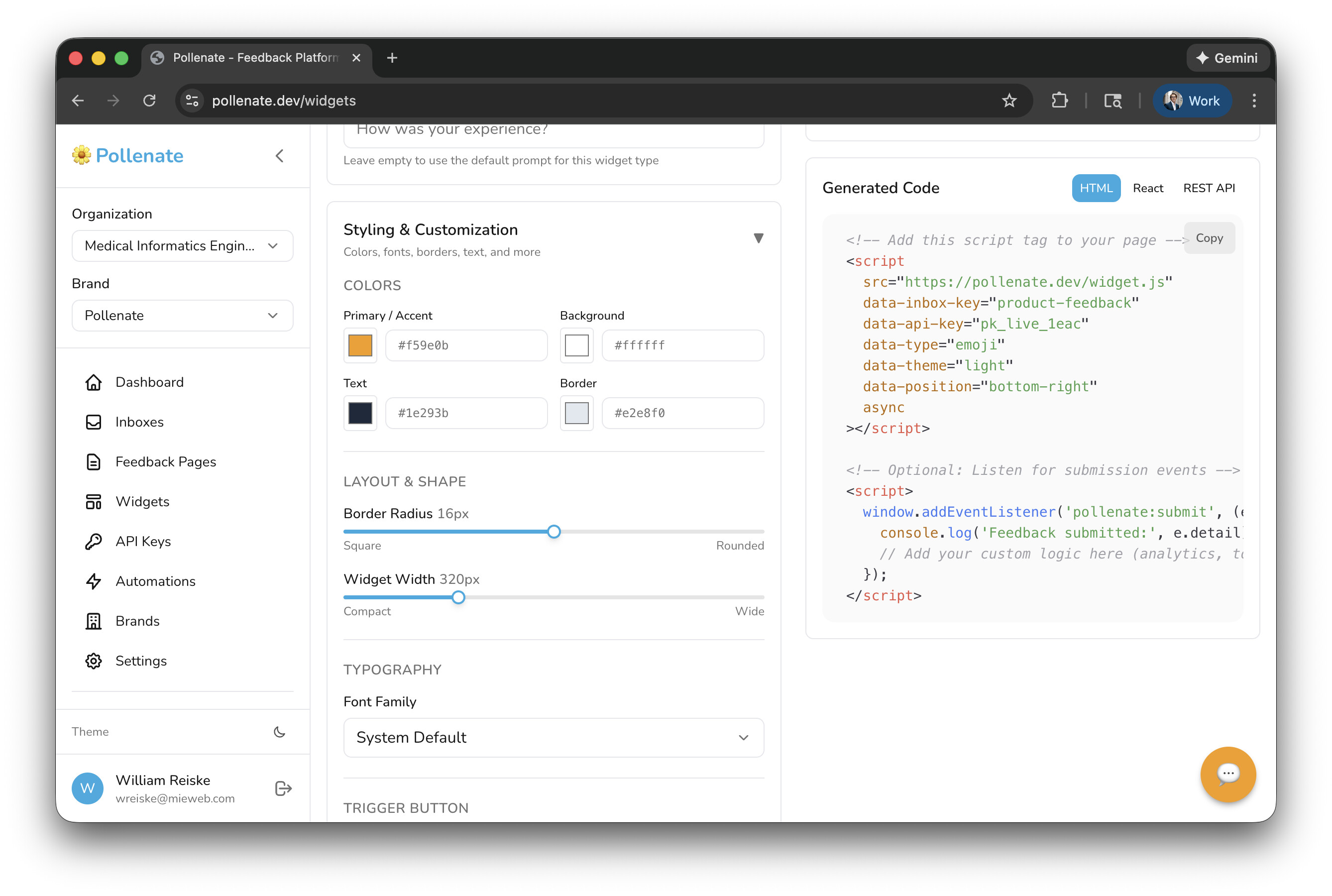
  1. Per-widget — Use data-primary-color, data-bg-color, data-text-color, data-border-color attributes (or the equivalent React props). Supports dark mode overrides too.

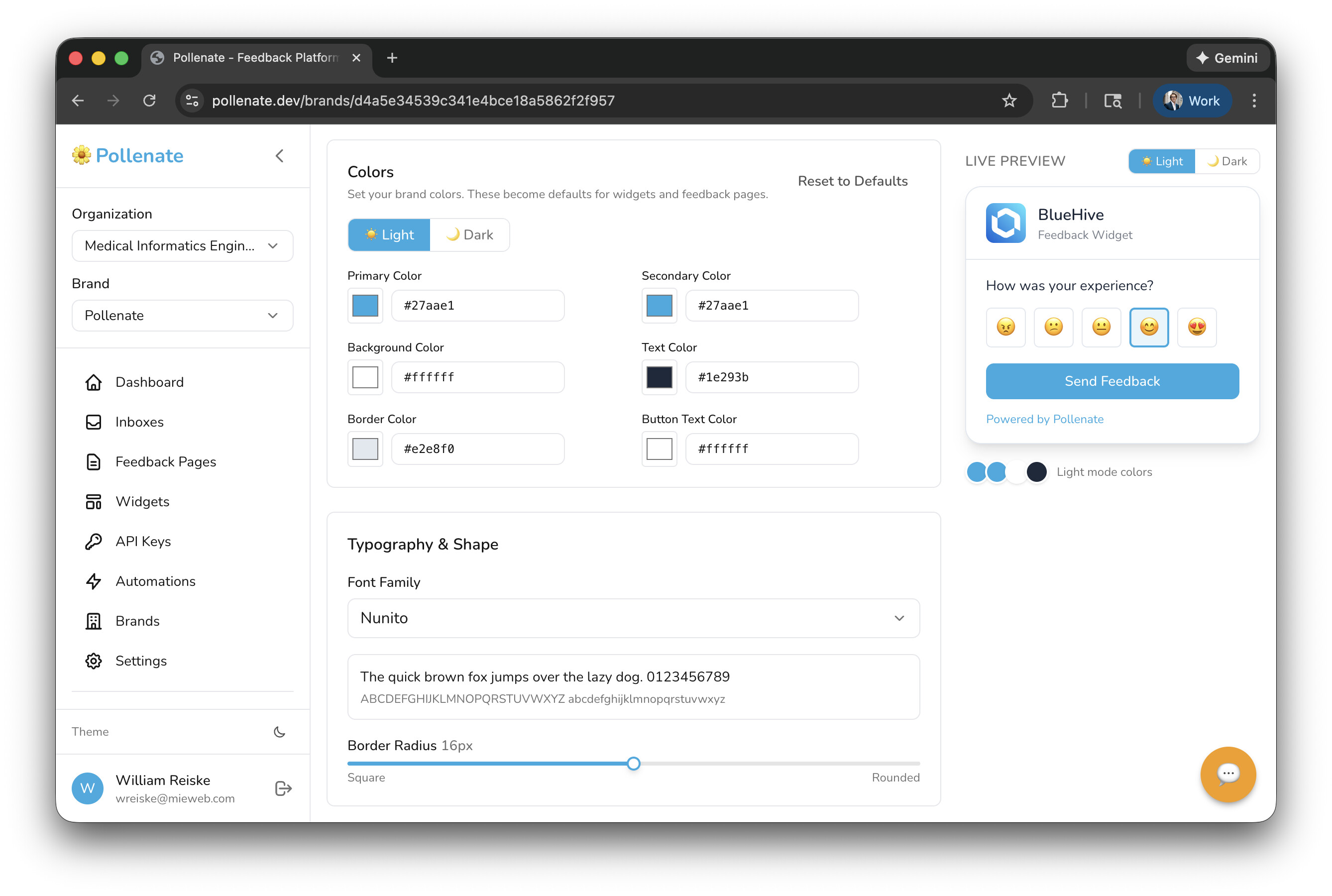
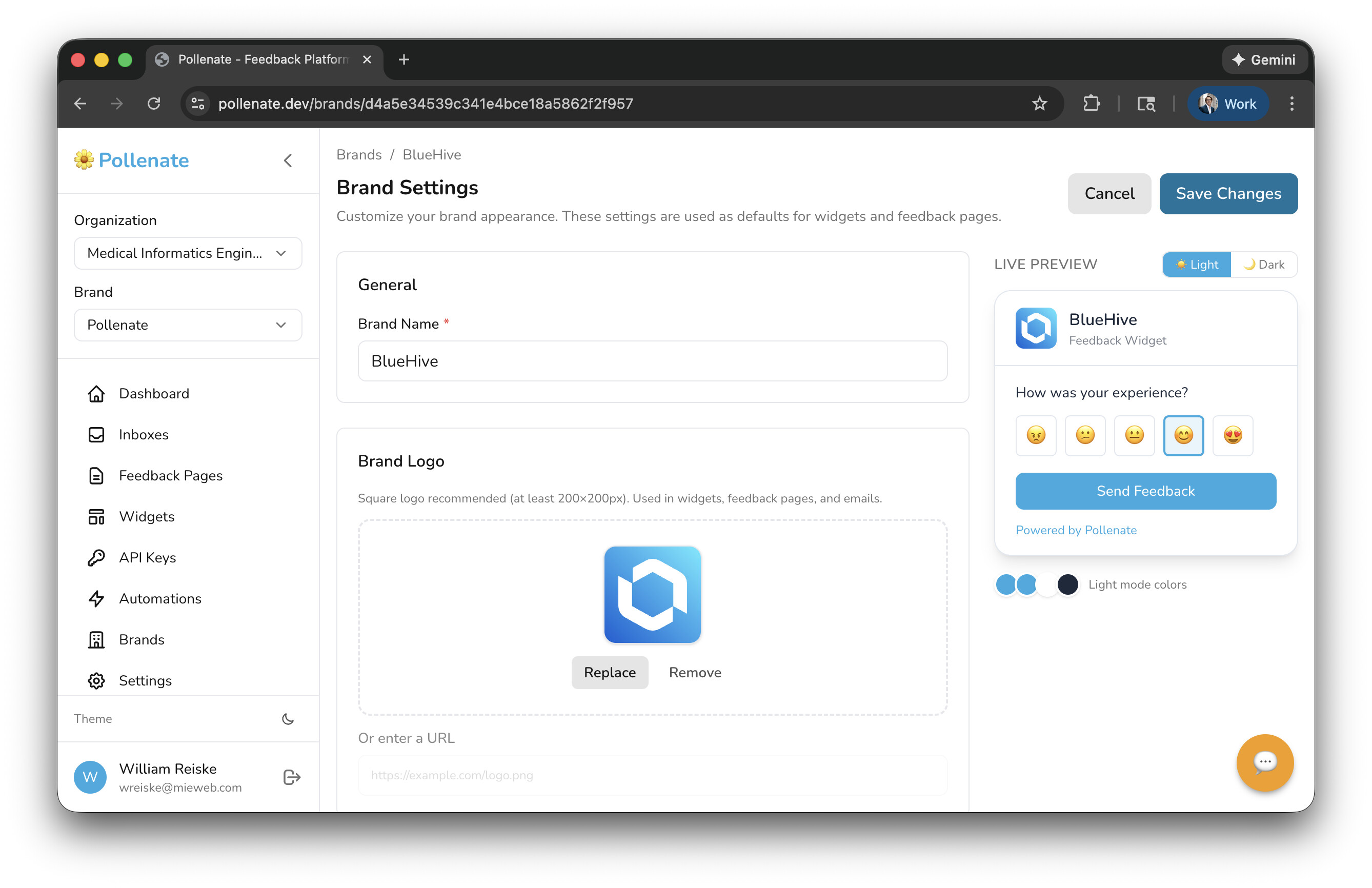
  2. Brand-level — Set up a brand theme in Dashboard → Brands with primary, secondary, background, text, border, and button text colors (with separate dark mode overrides). All widgets and feedback pages under that brand inherit the colors automatically.


  1. CSS custom properties — Override --pollenate-primary, --pollenate-bg, --pollenate-text, etc. for full control.

The widget builder in the dashboard (Dashboard → Widgets) has a visual color picker for all of this so you can preview in real-time.

On providing a callback for submitted data: Also covered!

  1. Client-side: The widget fires a pollenate:submit CustomEvent on the window with the full payload. Just add window.addEventListener('pollenate:submit', (e) => { /* e.detail has the data */ }) to pipe it into your own DB or analytics.

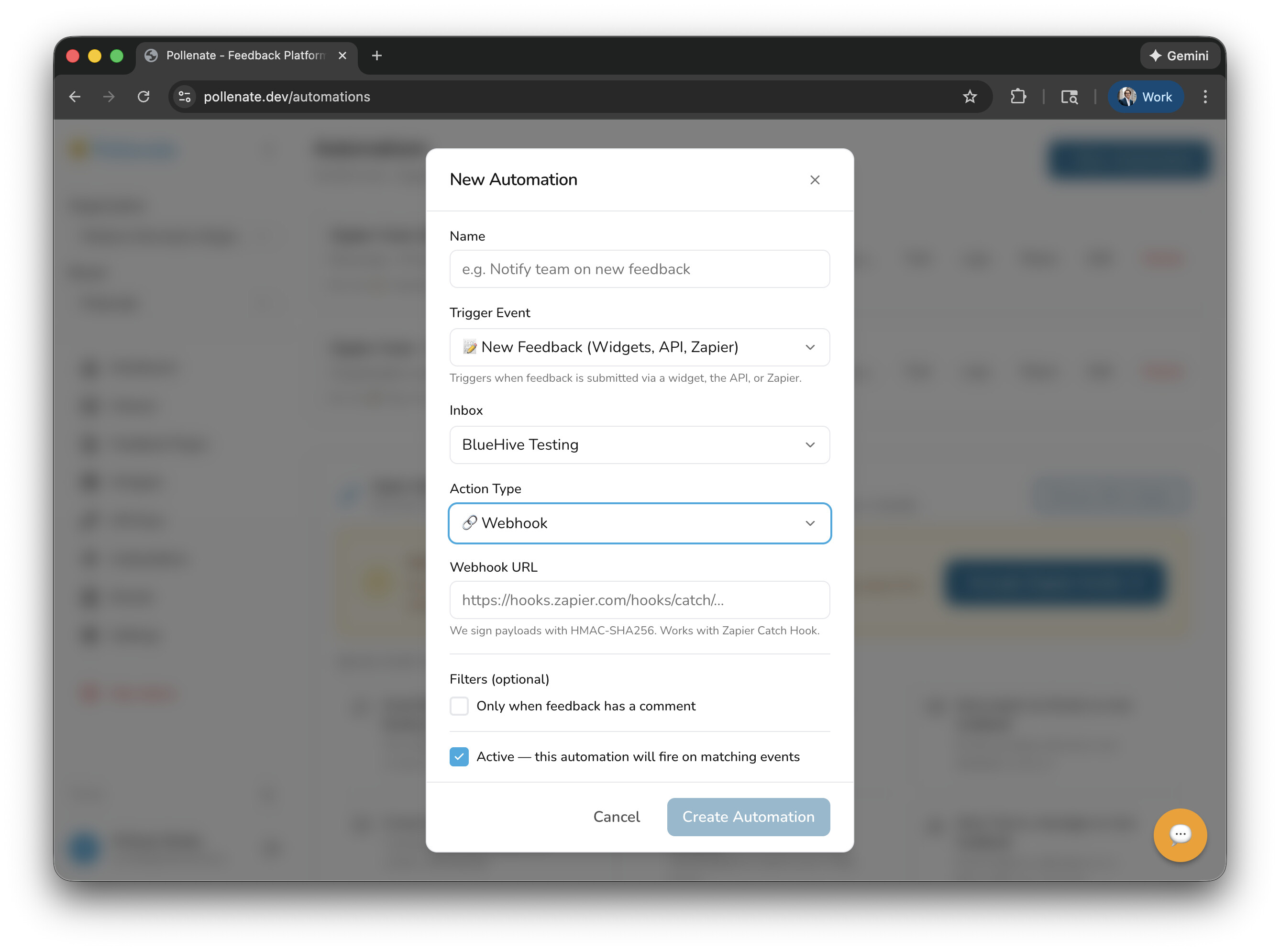
  2. Server-side: Set up a webhook automation in Dashboard → Automations. Point it at any URL and we’ll POST the feedback payload there in real-time, signed with HMAC-SHA256 so you can verify authenticity.

  1. Zapier: Our Zapier integration triggers on new feedback and can push data to 7,000+ apps (Google Sheets, your own API, databases, etc.). Sign up for Zapier here.

  2. Direct API: The full REST API (documented at pollenate.dev/docs) lets you pull feedback data programmatically with the X-Pollenate-Key header.

Everything you mentioned is in the product already — sounds like the landing page could do a better job surfacing it. That’s super useful feedback in itself. Thanks again for taking the time!

1 Like

Does your app automatically comes up with the color scheme based on the current colors used within my application?

This is great stuff!

1 Like

First of all, I should say that I’m not writing this for TeamPlan. I want to evaluate this type of initiative from within the community because I really like it.

The registration steps and brand creation process are nice and fluid. The email containing the code sent during registration ended up in spam.

I think the menu is too complex for this type of application. There could be widget settings within Settings, and if I don’t have any widgets, I could go to the widget page on the first launch. Also, the brands button could be located next to the brand selection with a settings icon.

I think the Widget Types Reference card is unnecessary. It’s already possible to understand what each one is when making a selection. The Quick Start Guide section needs to be made more visible.

I don’t think I’ll need the API Keys section initially either. That could also go into Settings.

1 Like

Awesome idea. Are you thinking if a brand isn’t defined, it just sort of “adapts” to the website theme automatically?

I’ve taken the approach of defining brands at the organization level, so marketing or UI / UX departments can “define” what they want the brand colors and fonts to be and then anyone else can create feedback forms and widgets that align with that brand. For example if HR wanted to send out an Employee Engagement survey - they would get an account that can create feedback pages but not edit the branding.

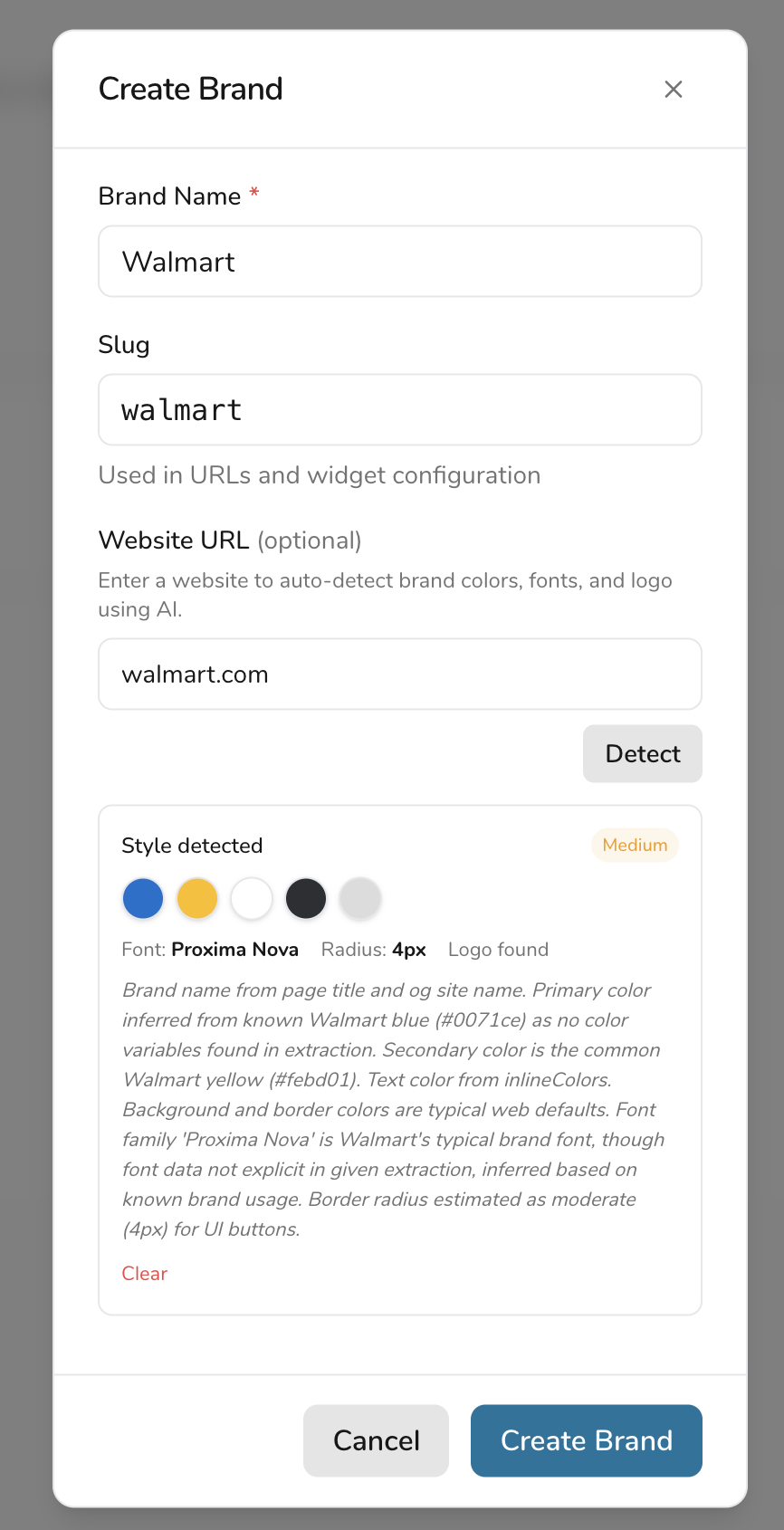
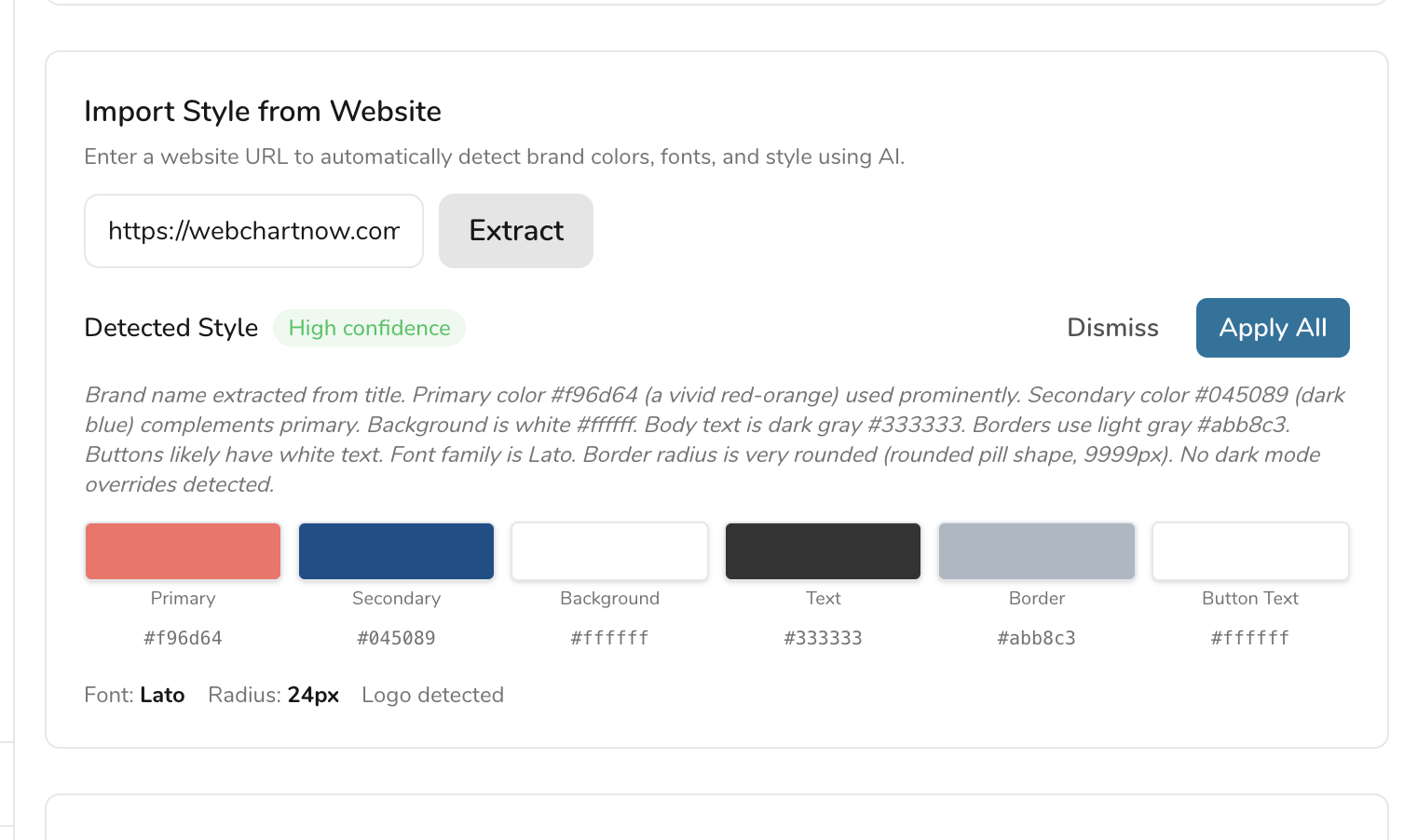
I did just push out a release with this feature if you want to give it a try:

You can pull in a website’s style guide when creating a brand, or inside an existing brand:


2 Likes

Hey @guncebektas, thank you so much for taking the time to try it out and for the thoughtful feedback — this is exactly the kind of input that helps shape the product.

Email going to spam — Appreciate you flagging that. Emails are properly setup (SPF/DKIM/DMARC) , so it might just be going to spam since it’s a “new” domain and has a low reputation. If you can mark it “not spam” that will probably help future delivery

API Keys moved into Settings — You’re absolutely right that API Keys didn’t need its own top-level menu item. As of today’s update (v0.13.0), both API Keys and Automations have been moved into the Settings page as tabs. The sidebar is now cleaner with fewer top-level items. Existing links like /api-keys still work and redirect automatically.

Widget settings within Settings & first-launch flow — Great suggestion. I’ll look into surfacing widget setup more prominently on first launch and potentially consolidating widget config into Settings as well.

Brands button next to brand selector — Love this idea. Having a quick settings icon right next to the brand dropdown in the sidebar would save a click. Adding it to the backlog.

Widget Types Reference card — Fair point. The type is already clear from the selection itself, so that card could be collapsed or removed in favor of making the Quick Start Guide more prominent.

Thanks again for the feedback — you’ve already directly influenced today’s release! :raised_hands:

Marked as not spam :slight_smile: Love the “import style from the website” feature. Run it automatically, you know my domain name. I will check it again and use it to get feedback.