SkySignal February Update - A LOT of new stuff
Hey everyone,
It’s been a really productive month so I wanted to share everything that’s been going on with SkySignal. This is a big one, so grab a coffee.
Dashboard got a major visual upgrade
The main customer dashboard now has 4 new data visualizations that go way beyond the standard line charts:
-
Heartbeat Timeline - Think of it like an EKG monitor for your app. It’s a continuously scrolling line that shows your response latency in real-time, color-coded green/amber/red based on thresholds. There’s a pulsing dot at the leading edge that gives you an instant sense of whether things are healthy. It’s a small thing but it makes the dashboard feel alive.
-
Request Flow Sankey - This one is really useful. It’s a Sankey diagram that shows how requests flow through your Meteor Methods and into downstream operations (database queries, HTTP calls, async work, etc). You can see at a glance which methods are getting the most traffic and what they’re actually doing under the hood. Hover over any link and you get call counts and average durations. Methods with errors get flagged in red.
-
Site Health Heatmap - If you’re running multiple sites, this gives you a GitHub-contribution-style grid where rows are your sites and columns are time buckets. Each cell is color-coded by a health score derived from error rate and response time. It’s great for spotting patterns - you can immediately see if a specific site had a bad hour or if something degraded across all sites at once.
-
Anomaly Constellation - A radar chart that overlays your current metrics (response time, error rate, CPU, memory, requests/hour, sessions) against rolling 7-day baselines. When something deviates significantly, that vertex gets a pulsing red indicator. The center tells you how many anomalies are active, or just says “Normal” when everything’s fine.
All four are fully custom SVG (not a charting library), so they look and feel exactly how we wanted them to. They’re responsive too - they adapt cleanly to mobile and tablet.
New pages: Incidents, SLOs, Runbooks, and Logs
We shipped four entirely new sections:
-
Incidents (/app/incidents) - Full incident management lifecycle. Create incidents, assign severity (sev1-4), track through investigating > identified > monitoring > resolved > postmortem. Each incident has a timeline of events, can link to related errors and alerts, and supports structured postmortems with action items.
-
SLOs (/app/slos) - Define Service Level Objectives for availability, latency, error rate, or throughput. Set your target, pick a rolling window (7d to 90d), and SkySignal tracks your error budget in real-time. You get burn rate calculations and alerting when you’re consuming budget too fast. This was a highly requested feature and it’s something we think every team monitoring a production Meteor app should be using.
-
Runbooks (/app/runbooks) - Operational runbooks for your team. Document step-by-step procedures for incident response, performance debugging, deployment checklists, etc. Each runbook has ordered steps with descriptions, commands, and expected outcomes. They can be triggered manually or configured to fire on alerts and error patterns.
-
Logs (/app/logs) - Structured log aggregation. The agent now captures console.* and Meteor Log.* output from your app automatically. Logs are correlated with traces, errors, and sessions, so you can jump from an error to the logs surrounding it. Full-text search, level filtering, and a 30-day retention window (Pro plan).
Site Detail improvements
A bunch of new capabilities in the site detail view:
-
Trace Waterfall - Click into any method trace and you get a full waterfall diagram showing every operation (DB queries, HTTP calls, async work) on a timeline. It automatically flags N+1 query patterns, slow queries, and unblock analysis. Think Chrome DevTools network waterfall but for your Meteor Methods.
-
Session Timeline - Click into a user session and get a visual timeline of their journey: page flow, events, performance metrics per page, and error correlation. Really useful for debugging user-reported issues.
-
DDP Inspector - A real-time activity feed showing DDP events (subscribes, ready signals, data mutations, errors) for a site. Includes a connection detail dialog and subscription inspector.
-
Versions Tab - Side-by-side version comparison. Select two deployed versions and see deltas for all your key metrics, color-coded green for improvements and red for regressions.
-
Deploy Markers - Deployments are now detected automatically (via GitHub webhooks or agent version change detection) and shown as vertical markers on your time-series charts. Each deployment gets an automatic canary analysis that compares the 15-minute window before and after the deploy, checking latency, error rate, throughput, and new error count. You’ll get a pass/warning/fail verdict.
Change Streams support (Meteor 3.5-beta+)
This is a big one for anyone testing Meteor 3.5-beta+. The agent’s LiveQueries collector now detects the actual observe driver per observer - Change Stream, Oplog, or Polling - by introspecting handle._multiplexer._observeDriver.constructor.name. Previously it used a global MONGO_OPLOG_URL heuristic which treated everything as either oplog or polling.
The “oplog efficiency” metric has been replaced with “reactive efficiency” which is (changeStream + oplog) / total observers. The LiveQueries tab in the SkySignal dashboard reflects this 3-way breakdown.
Anomaly Detection & Observer Leak Detection
Two new background services running automatically:
-
Anomaly Detection - Computes rolling 7-day statistical baselines (mean, stdDev, p95) for your metrics and raises anomaly events when values deviate beyond configurable z-score thresholds. Includes hourly and daily seasonality patterns.
-
Observer Leak Detection - Four heuristic patterns that detect Meteor reactive observer leaks: growing observer counts per collection, long-lived stale observers (>24h with low update rates), inactive observers (zero activity for 30+ minutes), and orphaned observers (outlived their subscription). Integrates with alerts.
Agent improvements (v1.0.12)
- Log Collection - New LogsCollector that wraps console.* and Meteor Log.* with structured metadata, level filtering, and sampling. You can also use SkySignalAgent.addLog() for programmatic submission.
- Custom Metrics API - SkySignalAgent.counter(), .timer(), .gauge() for tracking business-specific KPIs. Also a generic trackMetric() for full control.
- Client-side error tracking fix - Fixed a bug where the server returned 400 “Invalid JSON” when the agent sent batched client errors. The endpoint was trying to read the raw request stream after body-parser had already consumed it. Also added support for the batched { errors: […] } format the agent actually sends.
- Silent failure for optional packages - If your app doesn’t have the http or email Meteor packages installed, the agent no longer logs warnings to the console on startup. This was confusing for a lot of people.
- Client IP collection - Method traces now include the client’s IP address for geographic correlation.
- HTTP Collector performance - Pre-compiled regex patterns, object pooling (50-object pool for request data), and combined exclude patterns for O(1) matching.
Mobile responsiveness
Went through the entire app and compacted metric cards to 2-per-row on mobile (they were full-width before, which meant a lot of scrolling). This applies to the dashboard, overview tab, and all 15+ site detail tabs.
Coming Soon
A few things are built and ready but not publicly enabled yet:
-
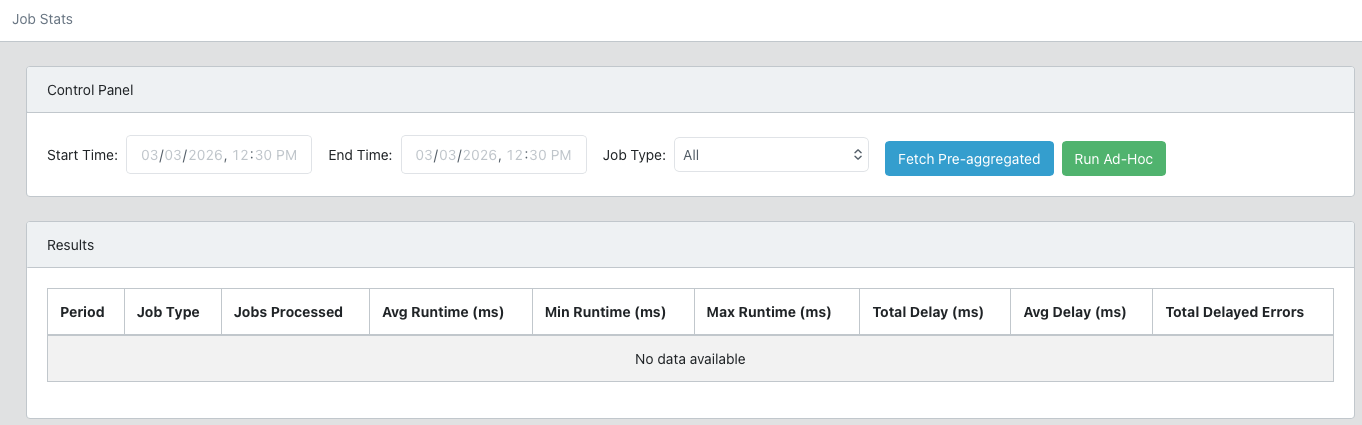
Astraeus AI DevOps - Our autonomous AI agent that analyzes errors, fetches your source code from GitHub, generates a fix using Claude, and creates a pull request. The full pipeline is built: a Docker-based worker container that clones repos, creates worktrees, runs Claude Code, and pushes PRs. It supports auto-analysis triggers, post-deploy watch mode, human approval workflows, and rate limiting (20 analyses/day). The UI is complete with a job dashboard, real-time streaming output, and settings panel. We’re doing final testing before enabling this.
-
Integrations - GitHub, Slack, Discord, PagerDuty, email, and custom webhook notification channels are built in the settings view but not yet exposed.
-
Custom Dashboards - Drag-and-drop dashboard builder with configurable widgets (metric cards, charts, data tables, SLO status, error lists, etc). This is built and working but we’re polishing it before release.
-
Infrastructure Upgrades - As SkySignal is close to being ready for production-use, we are in the process of optimizing our hosting infrastructure.
That’s it for now. It’s been a huge month of shipping. If you’re running the agent, update to v1.0.12 for the latest fixes and features. As always, bug reports and feedback go to GitHub · Where software is built.
If you have not tried SkySignal yet – get started in five easy steps:
- Sign Up for a free plan at Sign Up - SkySignal APM
- Create a new site on the “Sites” page
- In your Meteor
settings.json file add:
  "skysignal": {
    "apiKey": "YOUR_SECRET_KEY_GENERATED_FROM_SITE_CREATION",
    "enabled": true
  },
  "public": {
    "skysignal": {
      "publicKey": "YOUR_PUBLIC_KEY_GENERATED_FROM_SITE_CREATION",
      "rum": {
        "enabled": true,
        "sampleRate": 1.0
      },
      "errorTracking": {
        "enabled": true,
        "captureUnhandledRejections": true
      }
    }
  }
- Run
meteor add skysignal:agent
- Start using your app and watch metrics populate in your account within a few seconds