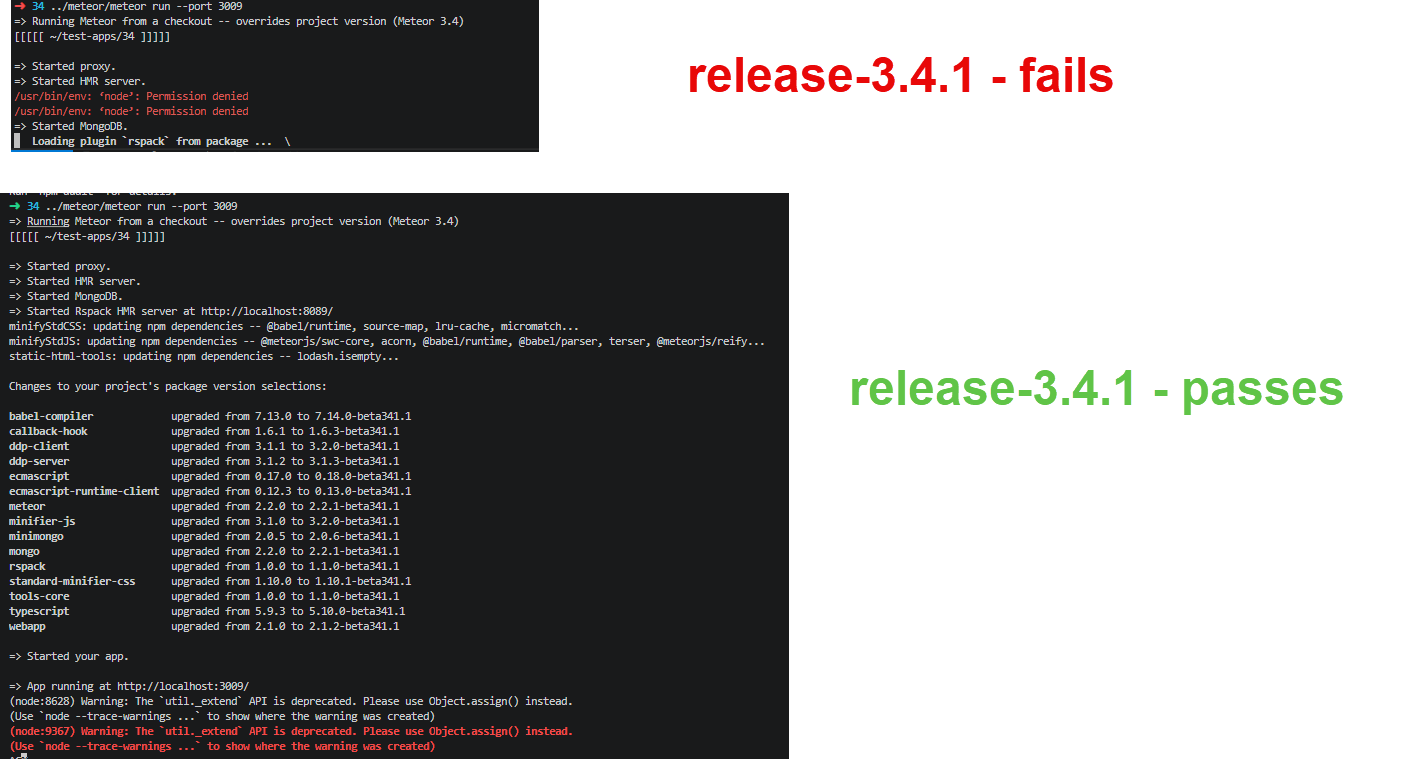
I have updated to Meteor 3.4, and the package I updated (already existing ofr multiple versions) will run fine.
I tried to create a new project today with meteor create --blaze <project name> and it seems to create fine, but when I go into the project folder and run meteor run, the mongodb starts, and then I get a message about Loading plugin rspack... that just sits there forever.
=> Started MongoDB.
=> Started proxy.
=> Started HMR server.
[Rspack Client Error] /usr/bin/env: ‘node’: No such file or directory

[Rspack Server Error] /usr/bin/env: ‘node’: No such file or directory

   Loading plugin `rspack` from package ...
Any help with this would be much appreciated.
System: Linux x64
Meteor Verson: Meteor 3.4
1 Like
Do you have Node installed globally? Ideally it should be Node 22.x, which is the version used by Meteor 3.4.
Could you also add this to package.json?
"meteor": {
  "modern": {
    "verbose": true
  }
}
I’d like to see the logs for [i] Meteor Npx prefix: and [i] Meteor Npm prefix: when you run the app. Could you provide it to me?
In theory, you don’t need Node installed globally, since Rspack should run using the builtin Node from the Meteor installation. But maybe there’s an edge case on your system I’d like to understand.
If Meteor can’t use its builtin Node for some reason, it will fall back to your global Node. So installing Node 22.x and ensuring it’s on your PATH should solve it.
3 Likes
Thank you, and sorry it took so long to get back to you. I installed Node globally, and it starts, but now gives errors about port 8080 being in use. If i stop the item using port 8080 already, then it starts, and I still access the application on port 3000…so not sure what 8080 has to do with it. Again something I’ve never experienced with Meteor before. Also, on other projects, the internal meteor node works fine, but this one doesn’t? Is it not the same tool for each project on the same version?
1 Like
I’m facing the same issue. I believe this is a bug caused by rspack (or associated tools) not being able to find meteor’s built in node. This might be relevant, maybe this too.
Steps to reproduce:
- Uninstall system node
- Verify.
which node should be blank, and meteor node --version should return meteor node’s version as expected.
meteor create test and cd test- Make sure rspack is enabled,
cat .meteor/packages | grep rspack
meteor run
Expected:
App starts successfully, and uses Meteor’s node.
Actual:
=> Started proxy.
=> Started HMR server.
[Rspack Client Error] /usr/bin/env: ‘node’: No such file or directory

[Rspack Server Error] /usr/bin/env: ‘node’: No such file or directory

=> Started MongoDB.
   Loading plugin `rspack` from package ...  \
Additional information:
Verbose
=> Started proxy.
=> Started HMR server.
[i] Meteor Npx prefix: /home/<username>/.meteor/packages/meteor-tool/.3.4.0.1tu4sphekowk++os.linux.x86_64+web.browser+web.browser.legacy+web.cordova/mt-os.linux.x86_64/dev_bundle/bin/npx
[i] Meteor Npm prefix: /home/<username>/.meteor/packages/meteor-tool/.3.4.0.1tu4sphekowk++os.linux.x86_64+web.browser+web.browser.legacy+web.cordova/mt-os.linux.x86_64/dev_bundle/bin/npm
[i] Meteor app ignores: _build/test/** _build/main-prod/** node_modules/** client/** imports/** server/** tests/** .gitignore .swcrc package-lock.json rspack.config.js !client/*.html !client/*.css !server/*.html !server/*.css
[i] App entrypoints: {
  "mainClient": "_build/main-dev/client-meteor.js",
  "mainServer": "_build/main-dev/server-meteor.js",
  "testClient": "_build/test/client-meteor.js",
  "testServer": "_build/test/server-meteor.js"
}
[i] App custom script: /__rspack__/client-rspack.js
[i] Rspack DevServer Port: 8080
[i] Rspack default config: /home/<username>/workspace/test/node_modules/@meteorjs/rspack/rspack.config.js
[i] Rspack custom config: /home/<username>/workspace/test/rspack.config.js
[Rspack Server Error] /usr/bin/env: ‘node’: No such file or directory

[Rspack Client Error] /usr/bin/env: ‘node’: No such file or directory

=> Started MongoDB.
   Loading plugin `rspack` from package ...  \

meteor --version
Meteor 3.4

meteor node --version
v22.22.0

meteor npm --version
10.9.4

Ubuntu 22.04.05 LTS
Just checking in, has anyone had a chance to look at this or maybe reproduce the bug?
I’m also in for this issue, got exactly the same behaviour on my MBP, CPU partially spinning up to 100% for several minutes
Good news,
I was able to reproduce it and I was working on a fix.
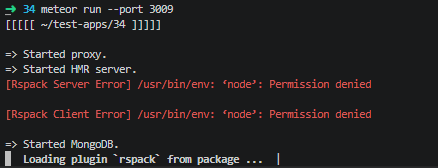
@dupontbertrand got a PR just now. I will test his contribution and verify if it works or something else is needed. I will focus on this last Rspack issue I’m aware of that is reproducible to provide a fix before Meteor 3.4.1-rc.0 hits.
Update:
It’s fixed. We will verify soon with next Meteor 3.4.1 RC if it’s also fixed for you.
2 Likes