Hey everyone! 
I’ve been working on a package called Meteor Wormhole and I’m excited to share it with the community. In short, it turns your existing Meteor.methods into tools that AI agents can discover and call — no rewriting required.
What Is It?
Meteor Wormhole is a server-only Meteor 3.4+ package that bridges your Meteor methods to the outside world through:
- MCP (Model Context Protocol) — The open standard for connecting AI assistants to tools and data. Your methods become MCP tools that Claude, GPT, Cursor, VS Code Copilot, and any MCP-compatible client can discover and invoke.
- REST API — Every exposed method also gets a
POST /api/<method>endpoint. - OpenAPI 3.1 spec — Auto-generated from your method schemas.
- Swagger UI — Built-in interactive API docs at
/api/docs.
How It Works
Two lines to get started:
import { Wormhole } from 'meteor/wreiske:meteor-wormhole';

Wormhole.init(); // That's it — all your methods are now MCP tools
By default it runs in “all-in” mode, which automatically exposes every Meteor.methods() call (minus DDP internals, private _-prefixed methods, and Accounts methods). You can also run in “opt-in” mode for explicit control:
Wormhole.init({ mode: 'opt-in' });

Wormhole.expose('todos.add', {
  description: 'Add a new todo item',
  inputSchema: {
    type: 'object',
    properties: {
      title: { type: 'string', description: 'The todo title' },
      priority: { type: 'string', enum: ['low', 'medium', 'high'] }
    },
    required: ['title']
  }
});
Add richer schemas and descriptions, and AI agents get better context about what your tools do and how to call them.
Features at a Glance
- Zero-config MCP server — Streamable HTTP transport at
/mcp, session management, JSON-RPC 2.0 - Optional REST bridge — Enable with
rest: { enabled: true }for traditional HTTP clients - Auto-generated OpenAPI 3.1 spec with Swagger UI
- Optional API key auth — Covers both MCP and REST endpoints
- Smart exclusions — Automatically skips DDP internals,
_privatemethods, and Accounts methods; add your own patterns - Input validation — JSON Schema → Zod conversion for parameter validation
- Error propagation —
Meteor.Errordetails are properly passed through to clients - Enrich existing methods — Add descriptions and schemas to auto-registered methods with
Wormhole.expose()
Configuration Options
Wormhole.init({
  mode: 'all',             // 'all' or 'opt-in'
  path: '/mcp',            // MCP endpoint path
  name: 'my-app',          // MCP server name
  apiKey: 'secret',        // Optional bearer token auth
  exclude: [/^admin\./],   // Additional exclusion patterns
  rest: {
    enabled: true,         // Enable REST API
    path: '/api',          // REST base path
    docs: true             // Swagger UI at /api/docs
  }
});
Live Demo & Chat App
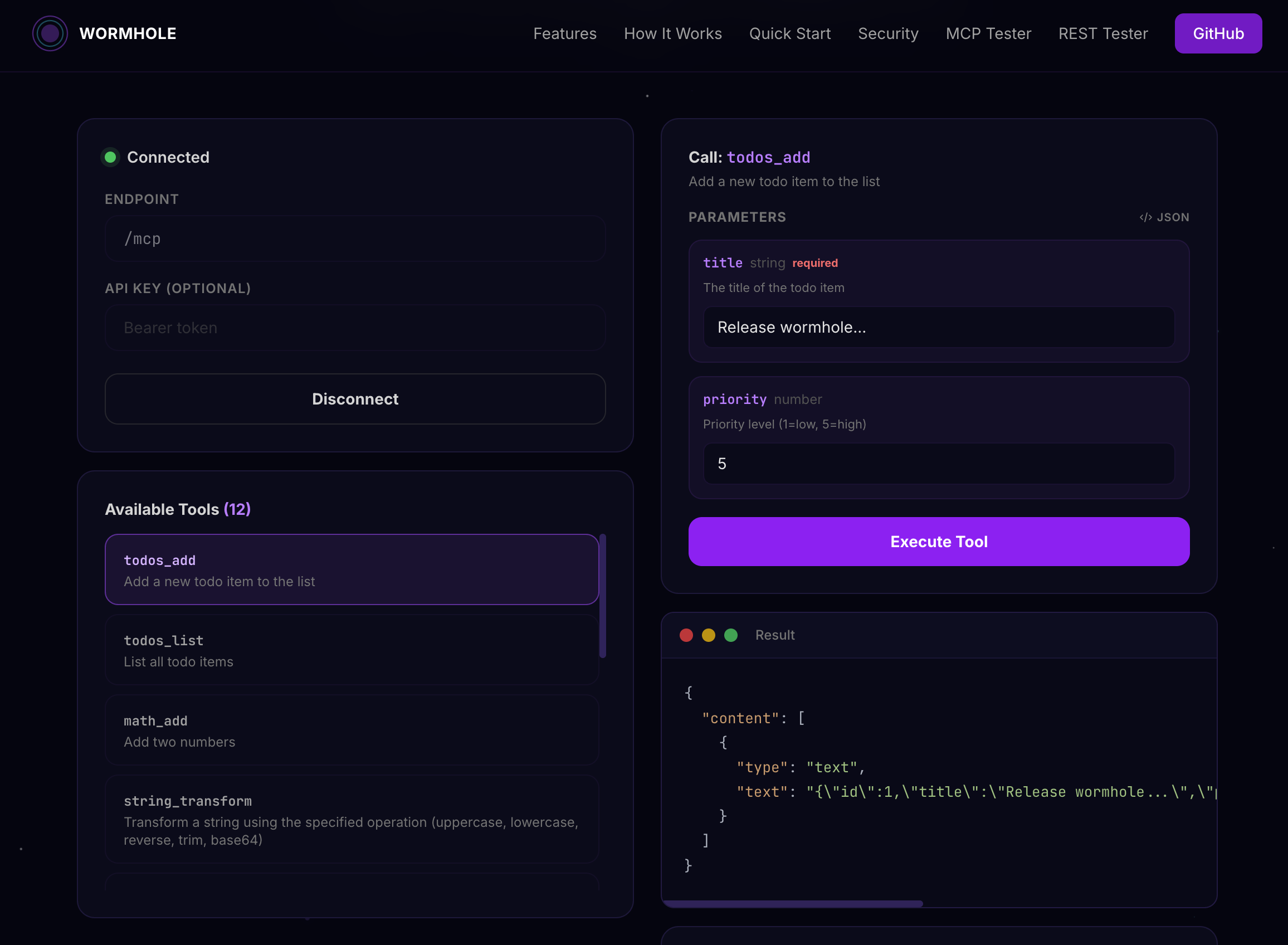
I’ve deployed a live test app you can poke around with. It includes a dozen example methods (todos, math, string transforms, error handling, etc.) with Swagger UI so you can try the REST API directly in your browser.
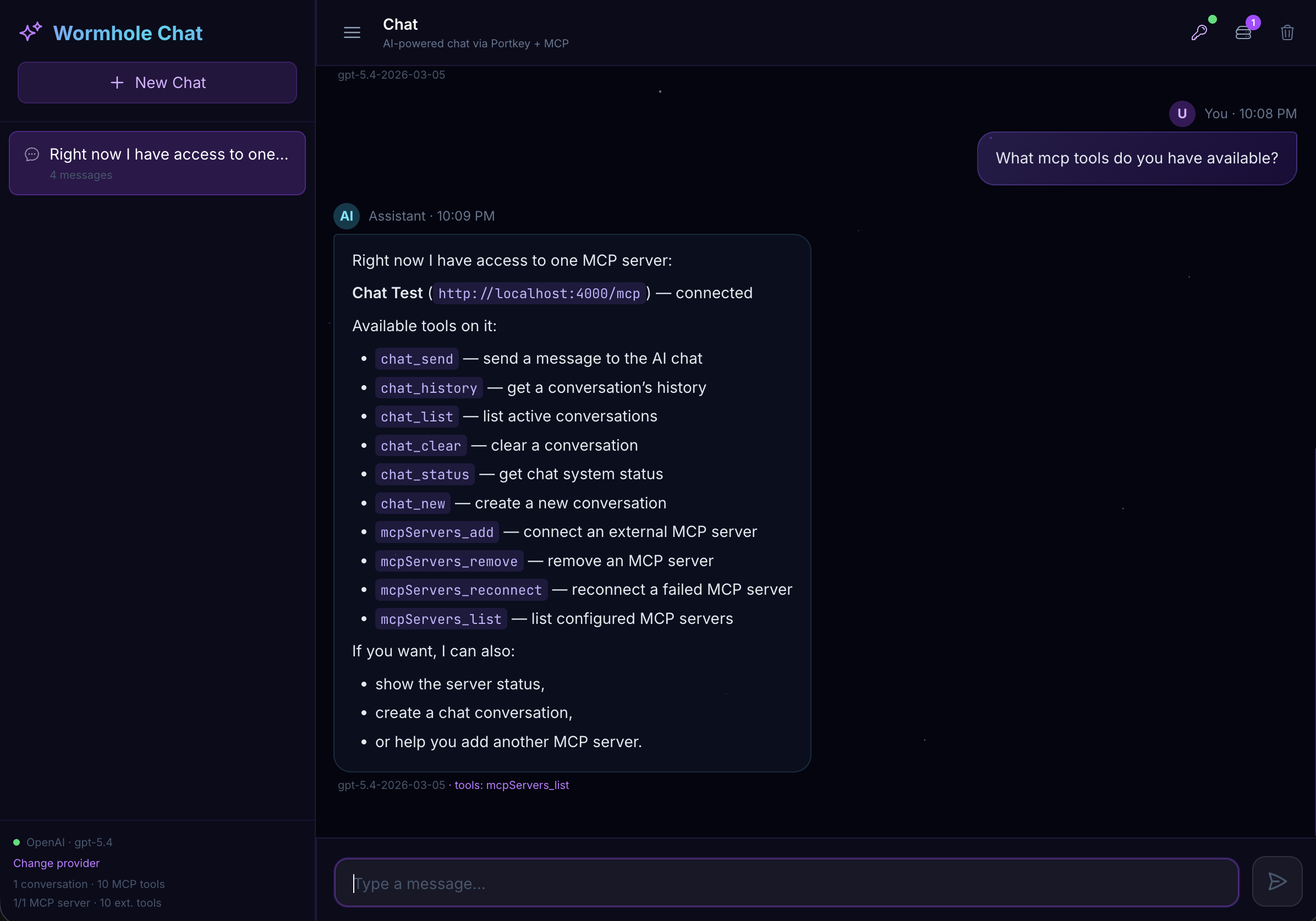
There’s also a chat app included in the repo that demonstrates the other side of the coin — a Meteor app acting as an MCP client, connecting to external MCP servers, discovering their tools, and feeding them into an AI chat loop with multi-provider support (OpenAI, Anthropic, Google Gemini, Groq, Mistral, and more).
Point Your MCP Client at It
If you use Claude Desktop, Cursor, VS Code Copilot, or any other MCP-compatible client, you can connect to a Wormhole-enabled app and your AI assistant will immediately see all the exposed methods as callable tools. Just point it at your app’s /mcp endpoint.
Links
- GitHub: GitHub - wreiske/meteor-wormhole: A cosmic bridge connecting Meteor methods to AI agents through MCP · GitHub
- Live Demo: https://wormhole.meteorapp.com/
- Swagger UI: API Documentation
- Atmosphere: https://atmospherejs.com/wreiske/meteor-wormhole
- Packosphere: https://packosphere.com/wreiske/meteor-wormhole
Get Involved
Contributions are very welcome! Whether it’s bug fixes, new features, documentation improvements, or just feedback — open an issue or PR on GitHub.
And if you build something with Meteor Wormhole, I’d love to hear about it. Drop a comment here and let me know what you’re using it for! 