Basic SFC with JS/HTML/CSS
HMR
Scoped style
Open in editor from vue-devtools
Script source maps
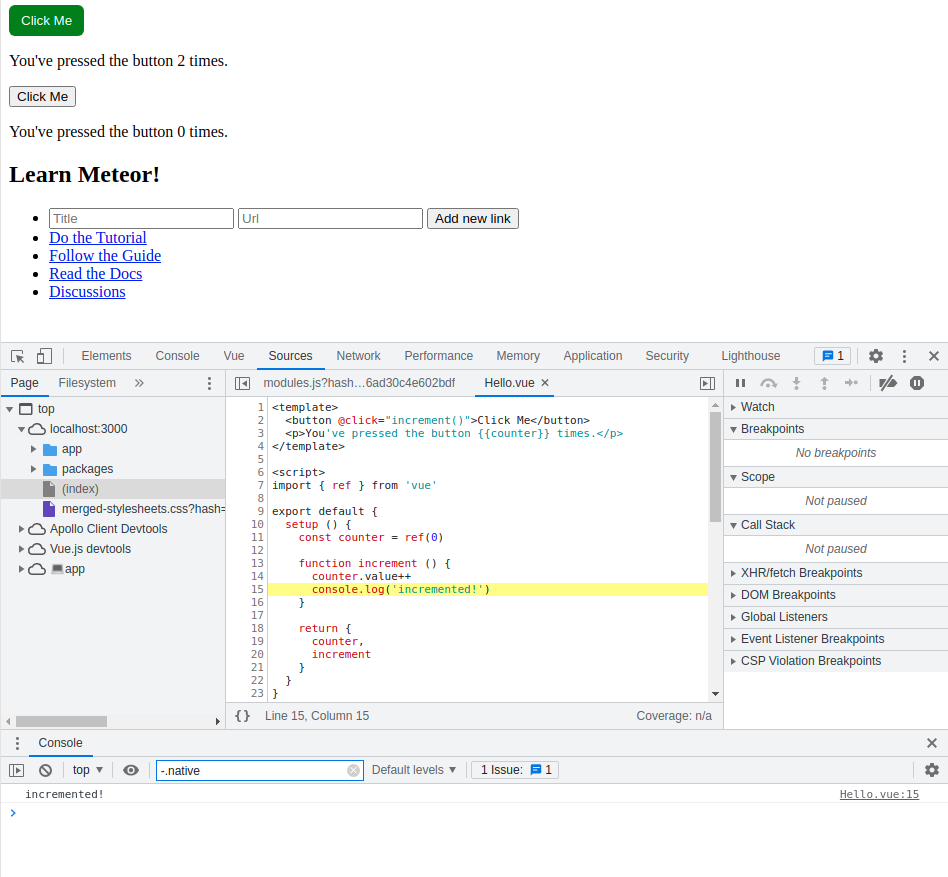
Style source maps
Template source maps
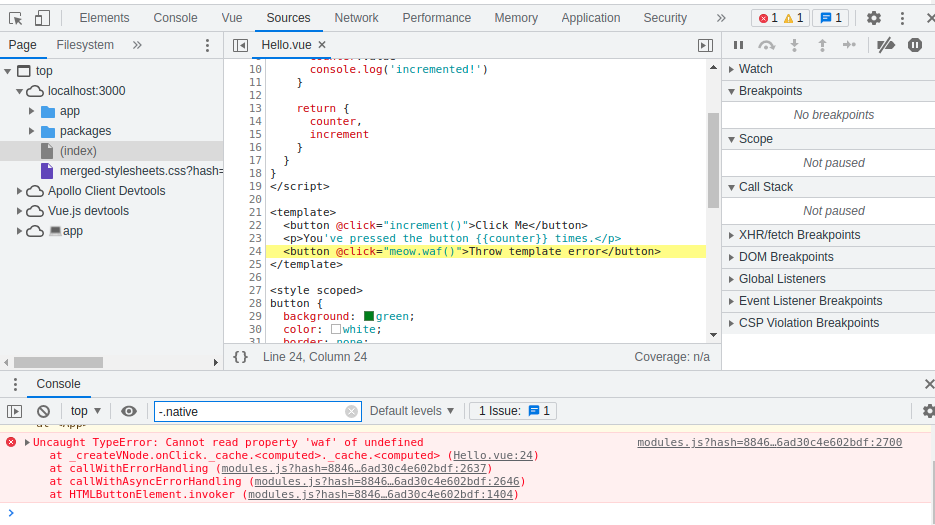
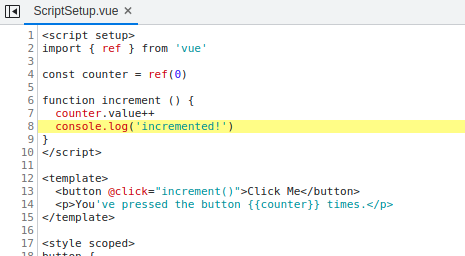
Script setup
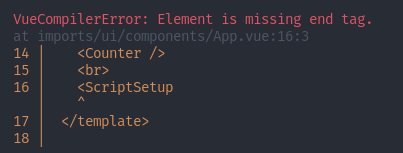
Fancy compilation error messages
Basic SFC with JS/HTML/CSS
HMR
Scoped style
Open in editor from vue-devtools
Script source maps
Style source maps
Template source maps
Script setup
Fancy compilation error messages
@filipenevola , could you please step in here or mention somebody that could spare some time? Or maybe perhaps @zodern ?
Awesome to see that you’ve started work on the Vue 3 integration @akryum  I’m probably not knowledgable enough to do useful paired programming with you on the integration, but I’d be happy to help any way I can
  @zodern is the one that comes to mind as I believe he did the work on the recent HMR improvements in Meteor and he has gotten pretty deep into other parts of Meteor too. I’ll put the word out on the Meteor Slack community too.
zodern told me he is already in contact with akryum regarding the vue3 integration. So things should be under control. Many thanks to both of them for the work.
This is probably a good time to remind everyone that both akryum and zodern can be sponsored on github. If you benefit from their work, please do consider chipping in! Even $5 per month will make a difference.
Seems very nice to me. One question though. In addition to the new Composition API, I am assuming the old Options API will continue to work as it is currently. Will there be any syntax changes regarding the old Options API?
I don’t know, it’s not my priority. There could be a compatibility layer though.
I’m not a Vue expert but would it be possible to return an array instead of an object with a result property? More like the React Hook useState so you don’t need to rename result all the time.
So instead of:
const { result: links } = autorun(() => Links.find()))
You would have:
const [ links ] = autorun(() => Links.find()))
I’m also not sure how many properties autorun is returning, I would prefer the object if it has more than 2 properties otherwise it would be hard to read the code destructing multiple properties in the array.
I added another method that calls autorun but returns only the result if you don’t need to manually control it (for example stop).
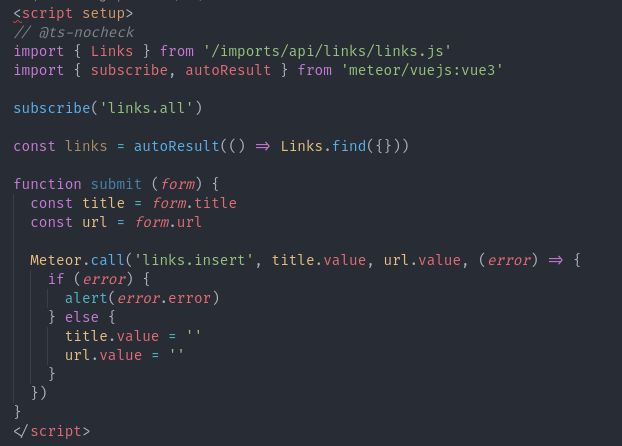
Sounds good.
Newbie question: is it not common in Vue usage to check for the ready() state?
Hey @filipenevola in the Vue2 integration, we had the option to check the ready() state using $subReady on any subscription created. This worked really nice 
If a subscription was named links for example, we would could use this.$subReady.links anywhere in Vue to do the next action.
The Vue2 tracker integration docs are here for quick reference:
Maybe this feature or similar will be added to the Vue3 integration too.
Looks like we can watch the Vue3 integration progress over here:
And it would be great if the Vue3 integration could be somewhat backwards compatible with Vue2 integration  Like many of use using Vue2, at some point in the future, we’ll probably be trying to make as smooth of an upgrade as possible.
Strongly agree as I have recently posted a course on Udemy about Meteor and Vue where it currently has over 8000 students and I have been asked multiple times if they could upgrade their project to Vue 3 so it would be great if they just had to make a few small changes to achieve it.
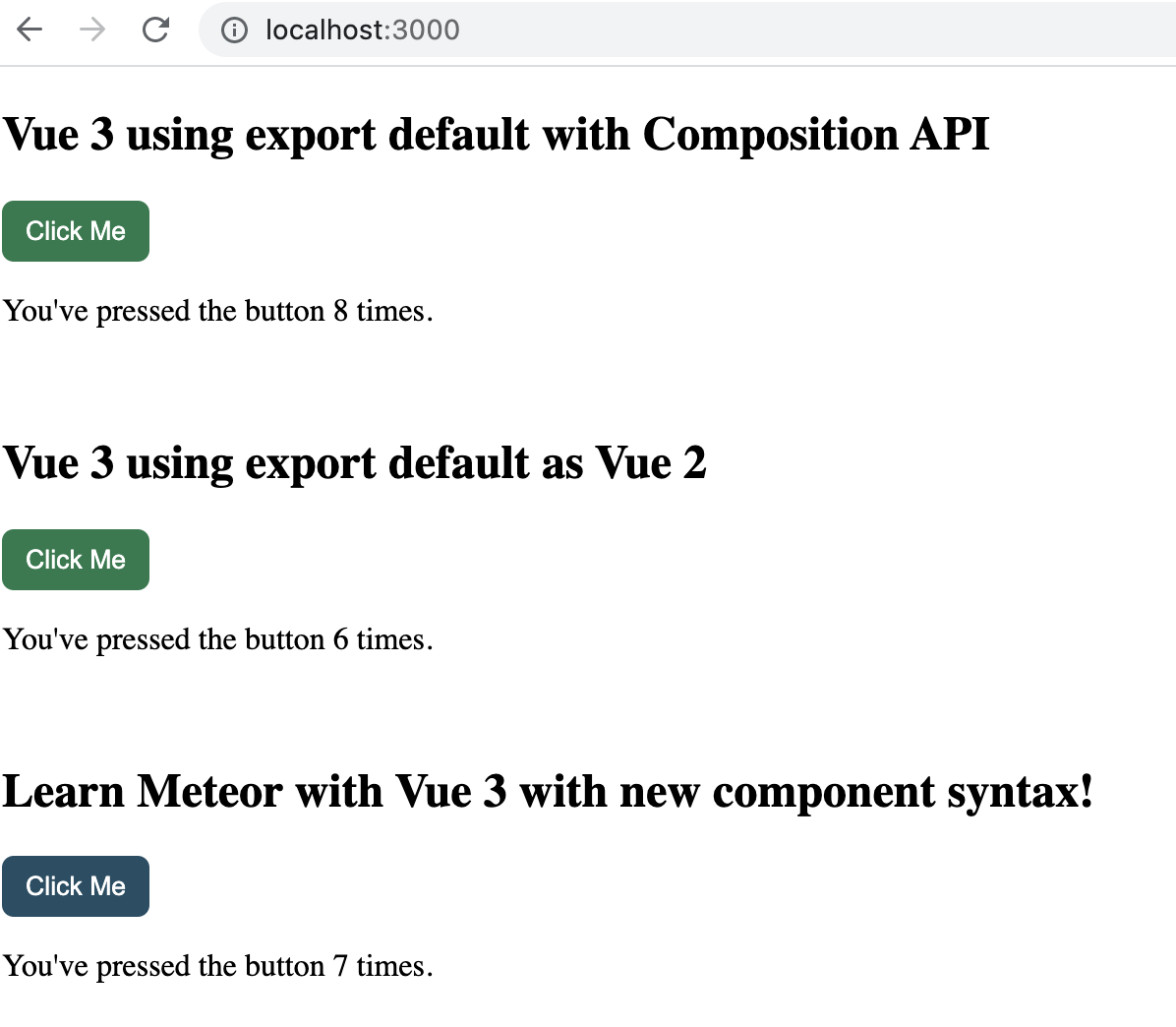
Already tested and it works fine 
Counter 1
<template>
  <h2>Vue 3 using export default with Composition API</h2>
  <button @click="increment()">Click Me</button>
  <p>You've pressed the button {{counter}} times.</p>
</template>

<script>
import { ref } from 'vue'

export default {
  setup () {
    const counter = ref(0)

    function increment () {
      counter.value++
      console.log('incremented!')
    }

    return {
      counter,
      increment
    }
  }
}
</script>

<style scoped>
button {
  background: rgb(28, 124, 76);
  color: white;
  border: none;
  border-radius: 6px;
  padding: 8px 12px;
  cursor: pointer;
}
</style>
Counter 2
<template>
  <h2>Vue 3 using export default as Vue 2</h2>
  <button @click="increment()">Click Me</button>
  <p>You've pressed the button {{ counter }} times.</p>
</template>

<script>

export default {
  name: 'Counter as v2',
  data() {
    return {
      counter: 0
    };
  },
  methods: {
    increment() {
      this.counter++;
      console.log('incremented!');
    }
  }
};
</script>

<style scoped>
button {
  background: rgb(28, 124, 76);
  color: white;
  border: none;
  border-radius: 6px;
  padding: 8px 12px;
  cursor: pointer;
}
</style>
Counter 3
<template>
  <h2>Learn Meteor with Vue 3 with new component syntax!</h2>
  <button @click="increment()">Click Me</button>
  <p>You've pressed the button {{counter}} times.</p>
</template>

<script setup>
import { ref } from 'vue'

const counter = ref(0)

function increment () {
  counter.value++
  console.log('incremented!')
}
</script>

<style scoped>
button {
  background: #224e64;
  color: white;
  border: none;
  border-radius: 6px;
  padding: 8px 12px;
  cursor: pointer;
}
</style>
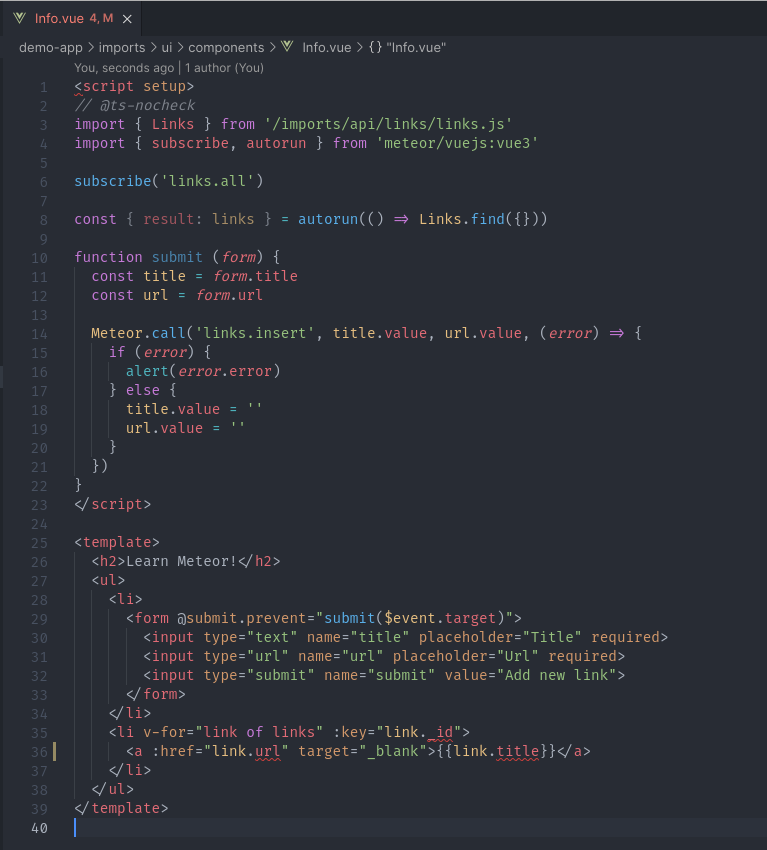
I guess Meteor.call and subscriptions only work with new component syntax so far.
How about Meteor + Vue 3 SUPPORT TypeScript?
We have published a fork of the Meteor Vue3 integration to support custom compilers, as well as a package to compile scss (stylus coming soon). This will enable people to write a Typescript compiler.
See packages here:
https://atmospherejs.com/?q=seamink
Hi, do you have any github example of meteor-vue3 ?
@diavrank95 Don’t you have the problem in Composition API with:
[Vue warn]: Failed to resolve component: ****
If this is a native custom element, make sure to exclude it from component resolution via compilerOptions.isCustomElement.
"
"
" at <App>"
Options API works, but Composition not…
Ok, it can be resolved with the PR from nathan-muir:
@akryum would you be so kind to review and implement the PRs to your vuejs:vue3 package? It desperately needs to be v0.0.2 
The Vite + Meteor, although might sound a good idea for some complex situations (and I do use Vite for some other projects, but not in Meteor), but for simpler things normal Meteor builder works great. The biggest problem with Vite + Meteor btw, is that you can not use the same client entry point for Meteor and Vite, which is a no-go if you want to have modular architecture (keep your structure matching abstract logic, like having both client/ and server/ folders inside of nested structure within import/).
 And thanks for running some tests