I don’t see anywhere in the Galaxy UI for a deployment how to change the region. I’d like to try having the app in a different region to see if it will be faster for people in that region.
At the moment, the app network load time is fine for me in the US, but incredibly slow loading for people in France or Vietnam.
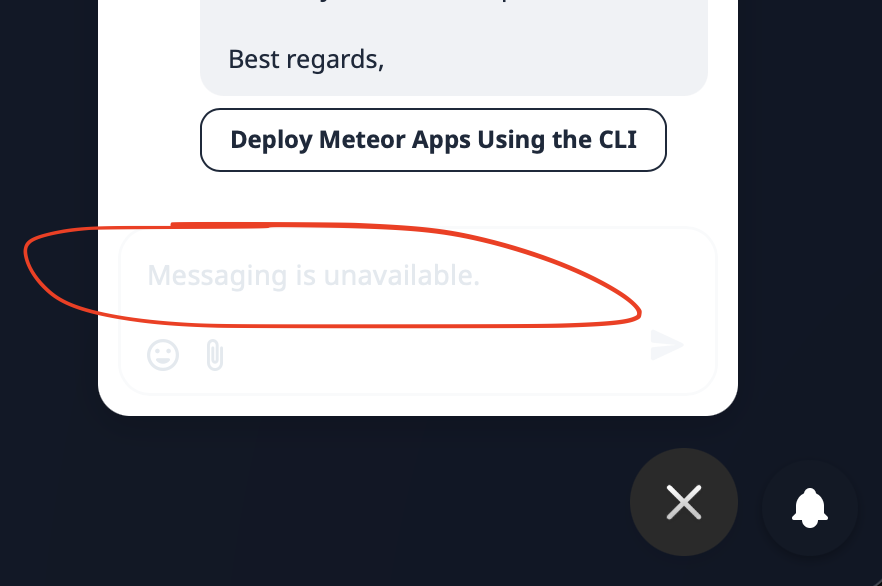
Sidenote, in-app “messaging is unavailable”, I cannot reply there:
Hey @trusktr,
Two ways to pick the region:
CLI: set DEPLOY_HOSTNAME before meteor deploy. Example for EU:
DEPLOY_HOSTNAME=eu-west-1.galaxy-deploy.meteor.com meteor deploy myapp.eu.galaxycloud.app
Swap in us-east-1 or ap-southeast-2 for the other regions. Full CLI reference: Deploy Meteor Apps Using the CLI
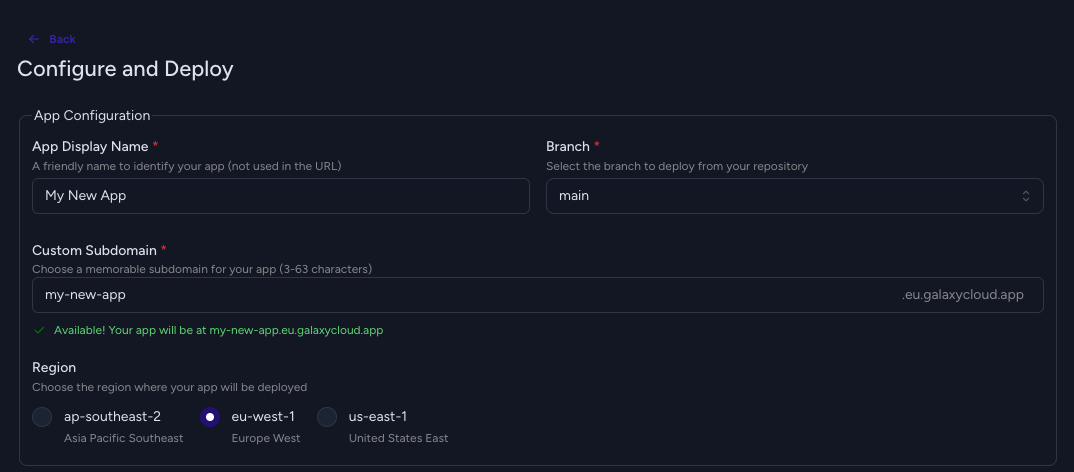
Galaxy UI: in the Deploy New App flow, the Region selector is in the “Configure and Deploy” step. Walkthrough: Deploy Meteor Apps Using Push to Deploy
To move an existing app, just redeploy it to the new region. There is no in-place switch.
Heads up: Free plan apps run in us-east-1 only.
In-app messaging is back online too, so you can contact us there as well.
1 Like
Is this not doable in the UI? Only via CLI?
What I’m looking to do is not deploy any new app, but only move the existing app, or deploy new instances of the same app (to scale up) across regions.
Can you please describe the specific steps someone would take to have a “single app” (a single URL) spread across regions, via Galaxy?
On a similar note, I am also curious: I am currently on the cheapest containers. Does that limit network speed? Or is it regions?
Basically, right now, I just want to solve the issue that US people load the app quickly while Europe/Asia people load the app very slowly. I’m not 100% sure if that’s a region issue with Galaxy.
To contrast, with NodeChef, I can pick a single region and a single instance will be the acceptable speed in all regions (US, France, Vietnam, etc).
I’m not sure what would be different about the Galaxy network. But this leads me to believe that I would ideally need only a single deployment in a single region at my scale. I don’t really need more than one instance yet, and proven with NodeChef and my usage needs. I’m only looking at multiple regions (and more complexity) because of a network performance problem.
Hey @trusktr, a few things here.
Moving an existing app: Both UI and CLI work the same way. There’s no “change region” button on a running app, so you create a new deployment in the target region, stop the old app, and cut over your DNS.
Single URL across multiple regions: Galaxy doesn’t have a built-in single-app multi-region deployment today. Each app lives in one region with one URL and one log stream. We’re tracking demand for this and it’s on our roadmap conversations.
Two paths depending on how much you want to manage yourself:
- Self-serve: deploy the same code as separate apps per region (e.g.
myapp-us, myapp-eu, myapp-ap) and put a geo-routing DNS in front of them mapped to your custom domain. Cloudflare Geo Routing or Route53 latency-based routing both should work fine.
- Custom plan: we take over the orchestration (deploy fanning out to all regions, unified logs, geo DNS on our side). We could scope it if you want to go that route.
On slow EU/Asia loads with the cheapest container: Container size controls CPU and RAM, not network throughput, so it isn’t your bottleneck. You could check two things:
- Where’s your MongoDB? If the DB’s in the US, EU/Asia users still pay the round-trip on every request even if the app moves closer.
- Static assets. A CDN with caching (Cloudflare, Cloudfront, etc.) often closes most of the perceived gap on its own and is cheaper than running two or three regions.
How’d that work? Is it something the team may add to the UI in the future?
I need to play with the CDN to prevent cross-origin isolation from being disabled. For now I proxied assets (streaming) via the Meteor backend, though is it plenty fast here in the USA, so that still doesn’t seem like the issue. Hmmm
Someone in Europe reported that it loads quickly on their phone, but not their laptop. Hmm.
I did an experiment with VPN: when connected via another region over VPN (I’m in Cali, and for example I connected via Vancouver Canada) I could confirm that I could not load the Galaxy app (I could still load other random websites). Network connections were either too slow, or failed to load, and the app was unusable. This matches behaviors that other people have been reporting to me from other regions.